
ImageResizer
Resize & Download Any Image from the Web
Right-click any image to resize and download it. Set width, height, quality, and format (PNG/WebP/JPEG). Processed entirely in your browser — no uploads, no server.
// screenshots
// overview
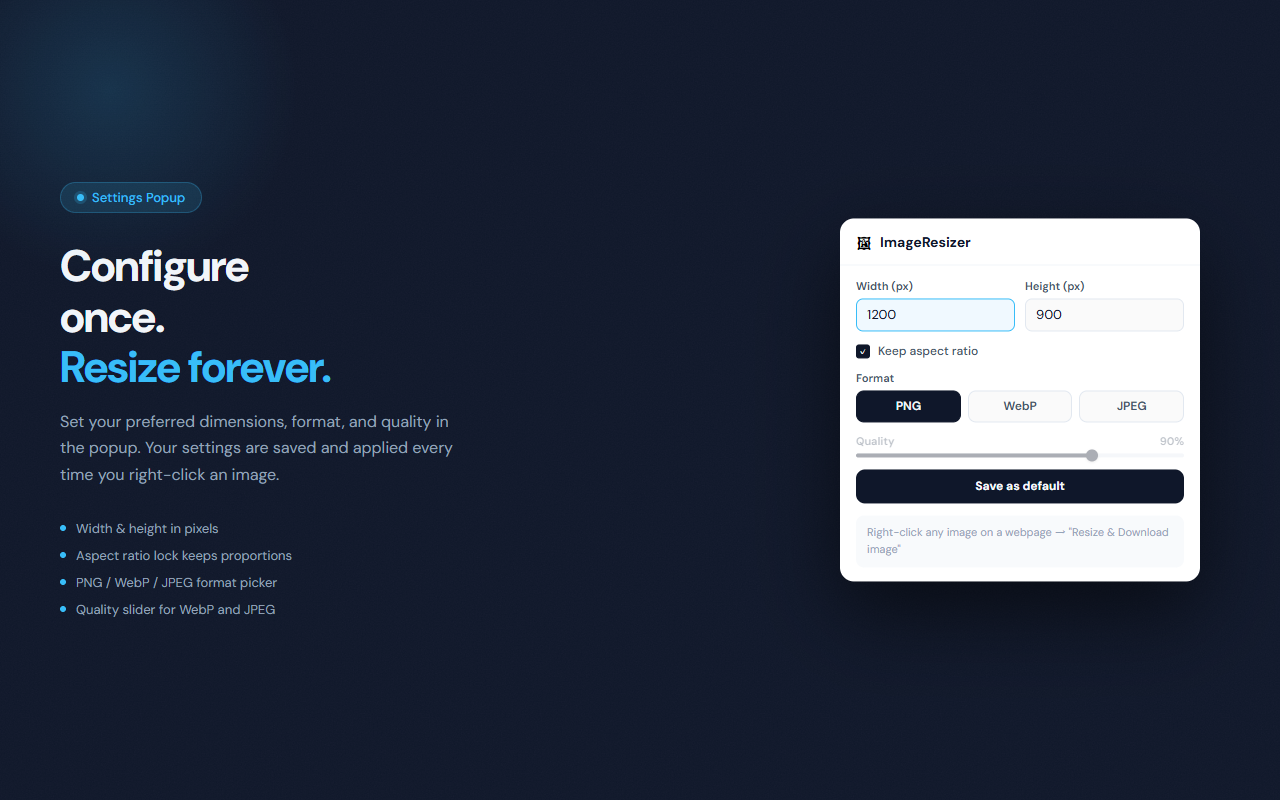
ImageResizer adds a 'Resize & Download image' option to your right-click context menu on any image. Configure your target dimensions, output format, and quality in the popup once, then right-click any image to instantly resize and download it. Everything runs locally in your browser via the Canvas API — no file is ever sent to a server.
// features
Right-Click to Resize
Right-click any image on any webpage and choose 'Resize & Download image' — no need to save first or open a separate tool.
Width & Height Controls
Set exact pixel dimensions. With aspect ratio lock enabled, the other dimension is calculated automatically.
Aspect Ratio Lock
Keep the original proportions intact while resizing, or unlock to stretch to any target size.
Format Selector
Export as PNG (lossless), WebP (modern, compact), or JPEG (widely compatible) with a single click.
Quality Slider
For WebP and JPEG, dial the quality from 10% to 100% to balance file size and visual fidelity.
100% Local Processing
Uses the browser Canvas API. No image data is uploaded anywhere — fully private and works offline.
// recommended for
- Developers grabbing web images at a specific size for mockups or docs
- Designers quickly resizing assets without opening an editor
- Content creators optimizing images before uploading to CMS or social media
- Anyone who needs a quick format conversion without a dedicated app
// faq
How do I resize an image?
Right-click any image on a webpage and select 'Resize & Download image'. The image is resized according to your settings in the popup and downloaded automatically.
Is ImageResizer free?
Yes, completely free with no usage limits.
Does ImageResizer upload my images anywhere?
No. All processing happens locally in your browser using the Canvas API. Your images never leave your device.
Can I resize images from any website?
ImageResizer works on most images. Cross-origin images are fetched through the extension context which bypasses CORS restrictions, so most web images are supported.
What output formats are supported?
PNG (lossless), WebP (modern and compact), and JPEG (widely compatible). For WebP and JPEG you can also set the quality level.
Does aspect ratio lock affect both width and height?
Yes. When enabled and you set both dimensions, ImageResizer scales the image to fit inside that box while preserving the original ratio.