
JSONFormatter
Interactive JSON Viewer for Raw JSON Pages
Automatically formats raw JSON pages into a collapsible, syntax-highlighted tree. Search keys and values, copy individual values, and collapse deep nests — all in your browser.
// screenshots
// overview
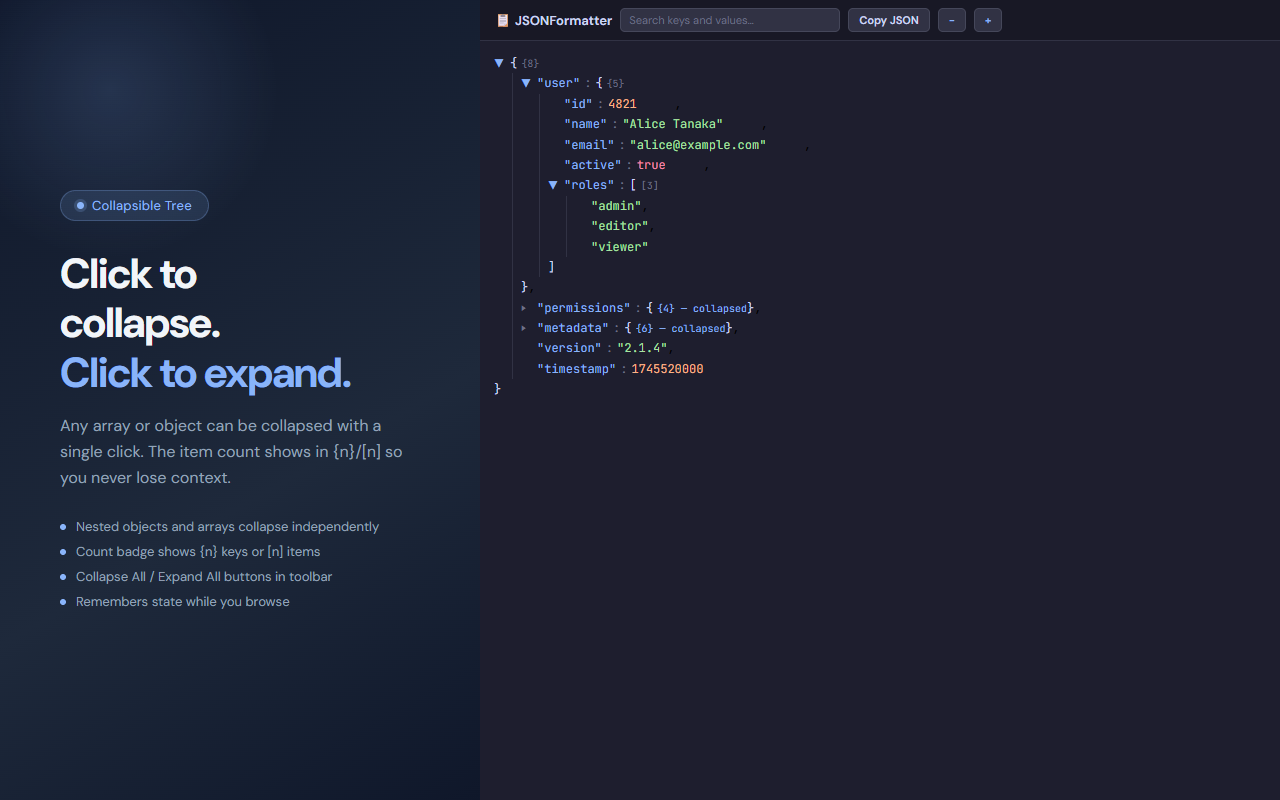
JSONFormatter detects when your browser opens a raw JSON URL and replaces the plain text with a fully interactive tree view. Keys are color-coded blue, strings green, numbers orange, and booleans red — following the Catppuccin Mocha palette. Any object or array can be collapsed with one click, and count badges ({n} / [n]) keep context when sections are hidden. A toolbar provides search, Collapse All, Expand All, and Copy JSON buttons.
// features
Auto-Detection
Automatically activates on any page with a JSON content type or a raw JSON <pre> block — no manual toggling needed.
Collapsible Tree
Click any ▼ toggle to collapse an object or array. Count badges show {n} keys or [n] items so you never lose track of what's hidden.
Syntax Highlighting
Keys in blue, strings in green, numbers in orange, booleans and null in red — based on the Catppuccin Mocha color scheme.
Search
Type in the search box to highlight all matching keys and values across the full tree instantly.
Copy Buttons
Hover over any value to reveal a copy button. Use Copy JSON in the toolbar to copy the entire formatted document.
Collapse All / Expand All
Instantly collapse the entire tree to see just top-level keys, or expand everything with a single toolbar button.
// recommended for
- Developers inspecting REST API responses directly in the browser
- Backend engineers reading raw JSON config or data files
- QA testers verifying API payloads without extra tooling
- Anyone who regularly works with JSON URLs and wants readable output
// faq
When does JSONFormatter activate?
JSONFormatter activates automatically when you navigate to a URL that returns a JSON content type, or when the page body contains a raw JSON string in a <pre> tag.
Is JSONFormatter free?
Yes, completely free with no usage limits.
What color scheme does JSONFormatter use?
JSONFormatter uses the Catppuccin Mocha dark palette: blue for keys, green for strings, orange for numbers, and red for booleans and null.
Can I search inside the JSON?
Yes. Type any keyword in the search box to highlight all matching keys and values across the entire tree.
Does JSONFormatter modify the original JSON?
No. JSONFormatter only changes how the page is displayed in your browser. The underlying JSON data is not altered.
Does it work on JSON files opened locally?
JSONFormatter works on JSON pages loaded in Chrome, including local file:// URLs if you grant the permission in extension settings.