FormValidator
Real-Time Form Validation on Any Website
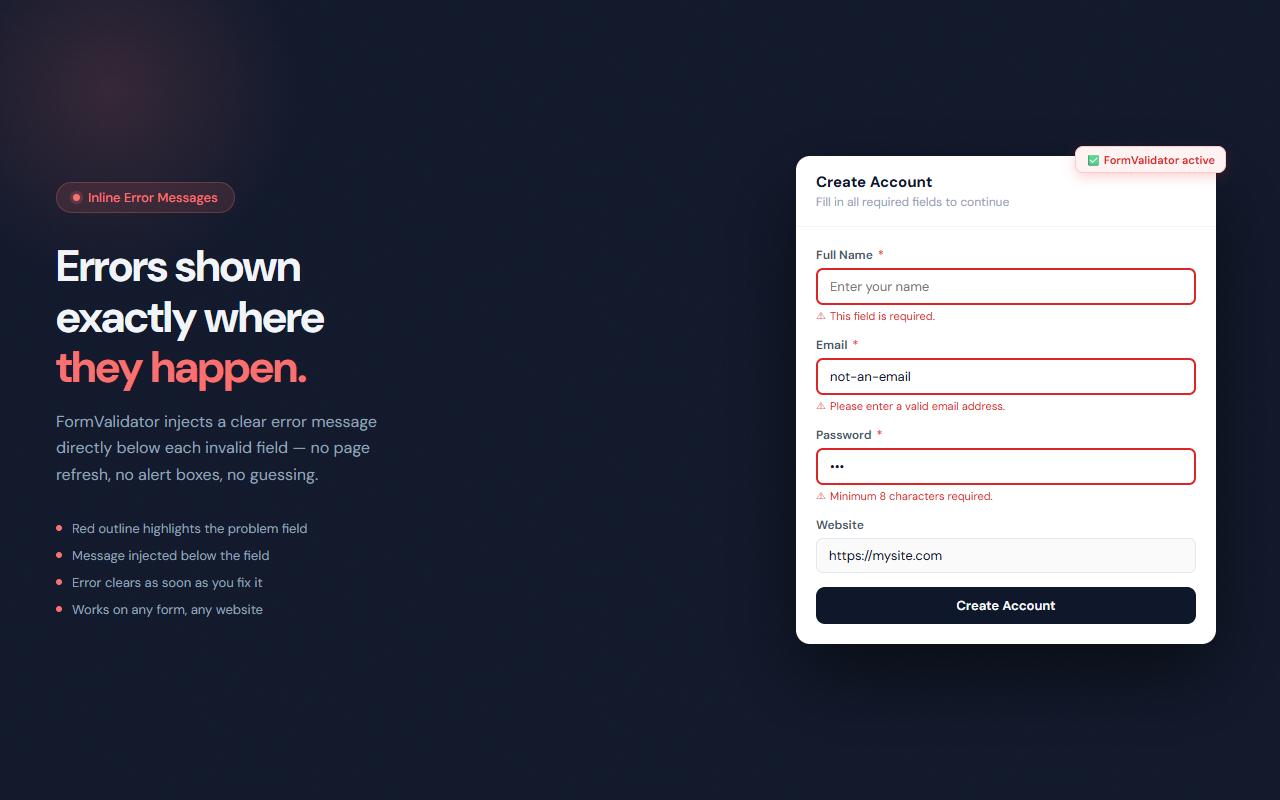
Validates form fields as you type — required fields, email format, URL format, number range, and character limits. Error messages appear inline below each field. Works on any website.
// screenshots
// overview
FormValidator adds real-time client-side validation to every form you encounter while browsing. When you leave a field, FormValidator checks it against the applicable rules and injects a clear error message directly below the input if something is wrong. The error disappears as soon as you fix it. Six independent validation rules can be toggled on or off individually from the popup, and a global toggle disables the extension on sites where you don't want it.
// features
Required Field Check
Detects the HTML `required` attribute and shows an error immediately when a required field is left empty.
Email Format Validation
Validates type='email' and autocomplete='email' fields against the user@domain.tld pattern.
URL Format Validation
Checks type='url' fields — confirms the value is a parseable URL before you submit.
Number Range Check
Validates number fields against their min and max attributes, catching out-of-range values before submission.
Character Length Limits
Enforces minlength and maxlength constraints with live feedback as you type.
Dynamic Form Support
A MutationObserver watches for newly added fields so FormValidator works correctly on single-page apps and dynamic forms.
// recommended for
- Power users who want to catch form errors before submitting
- Developers testing form validation behavior on live sites
- QA testers verifying that validation logic fires correctly
- Anyone who has submitted a form with a typo and had to start over
// faq
Does FormValidator work on all websites?
FormValidator runs on all pages by default. It attaches to any input, textarea, or select element and validates on blur.
Is FormValidator free?
Yes, completely free with no usage limits.
Can I disable FormValidator on specific sites?
Use the popup's global toggle to disable validation instantly. Your setting is saved and persists across sessions.
Does FormValidator replace the website's own validation?
No. FormValidator adds an extra layer of client-side feedback. The website's native validation still runs as before.
Does it work on single-page apps like React or Vue?
Yes. FormValidator uses a MutationObserver to detect dynamically added form fields, so it works on SPAs that render forms after page load.
Can I turn off individual rules?
Yes. Each of the six rules (required, email, URL, number, minLength, maxLength) has its own toggle in the popup.