
HistorySearch
Full-Text Search Across Your Entire Browser History
Search all your visited pages by title and URL. Filter by today, this week, this month, or all time. Click any result to reopen it instantly.
// screenshots
// overview
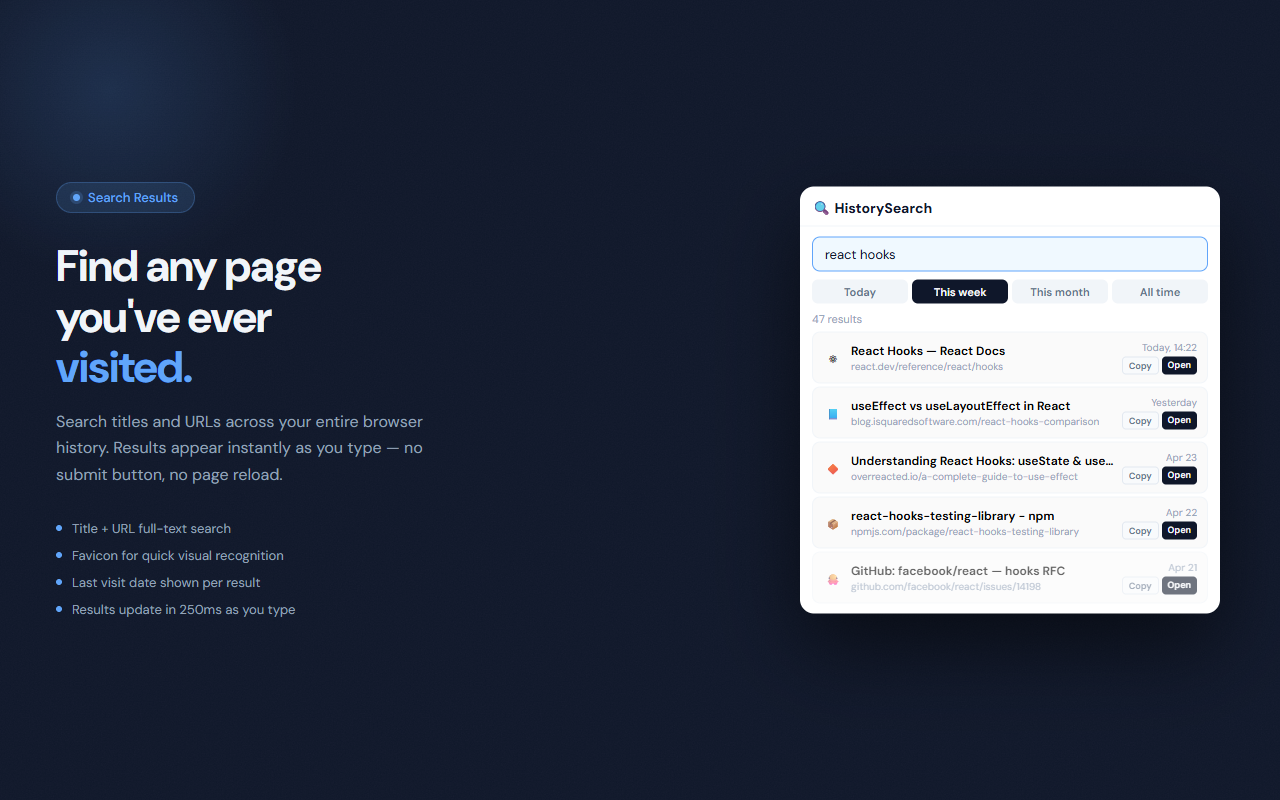
HistorySearch gives you a fast, searchable interface for your entire Chrome browsing history. Type any keyword and get instant results filtered by title and URL across all pages you've ever visited. Date filter tabs let you narrow the scope to today, the last 7 days, the last 30 days, or your full history. Each result shows the page title, URL, last visit date, and a favicon for quick identification.
// features
Full-Text Search
Searches both page titles and URLs simultaneously. Find any page you've visited, even if you only remember a word from the title.
Date Filters
Four quick filters — Today, This Week (7 days), This Month (30 days), and All Time — narrow results without typing a date range.
Instant Results
Results update as you type with a 250ms debounce. No button to press, no page to load.
Favicon Thumbnails
Each result shows the site's favicon for visual context — spot the right tab at a glance.
Click to Reopen
Click any result row or the Open button to reopen the page in a new tab immediately.
Copy URL
Copy any result URL to the clipboard with one click — useful for sharing or referencing links.
// recommended for
- Anyone who struggles to find pages they visited days ago
- Researchers who browse extensively and need to retrieve sources
- Developers who visited a documentation page and can't find it again
- Power users who want faster access to their history than Chrome's built-in Ctrl+H page
// faq
What is the difference between HistorySearch and SearchHistory?
SearchHistory extracts search queries specifically from Google, Yahoo, and Bing URLs. HistorySearch searches across all visited page titles and URLs — it finds any page, not just search engine queries.
Is HistorySearch free?
Yes, completely free with no usage limits.
How far back does HistorySearch search?
Chrome stores up to 90 days of history by default. The 'All Time' filter searches everything Chrome has retained.
Does HistorySearch upload my history anywhere?
No. All searching happens locally using the chrome.history API. Your browsing data never leaves your device.
What does the 'This Week' filter cover?
This Week returns results from the past 7 days. This Month covers the past 30 days.
Can I open results in the same tab instead of a new one?
In the current version, results always open in a new tab to avoid disrupting your current page.