Japanese Font Finder
日本語フォント検索
Webページ上のフォント情報を瞬時に検出。日本語フォントに完全対応。
// screenshots
// overview
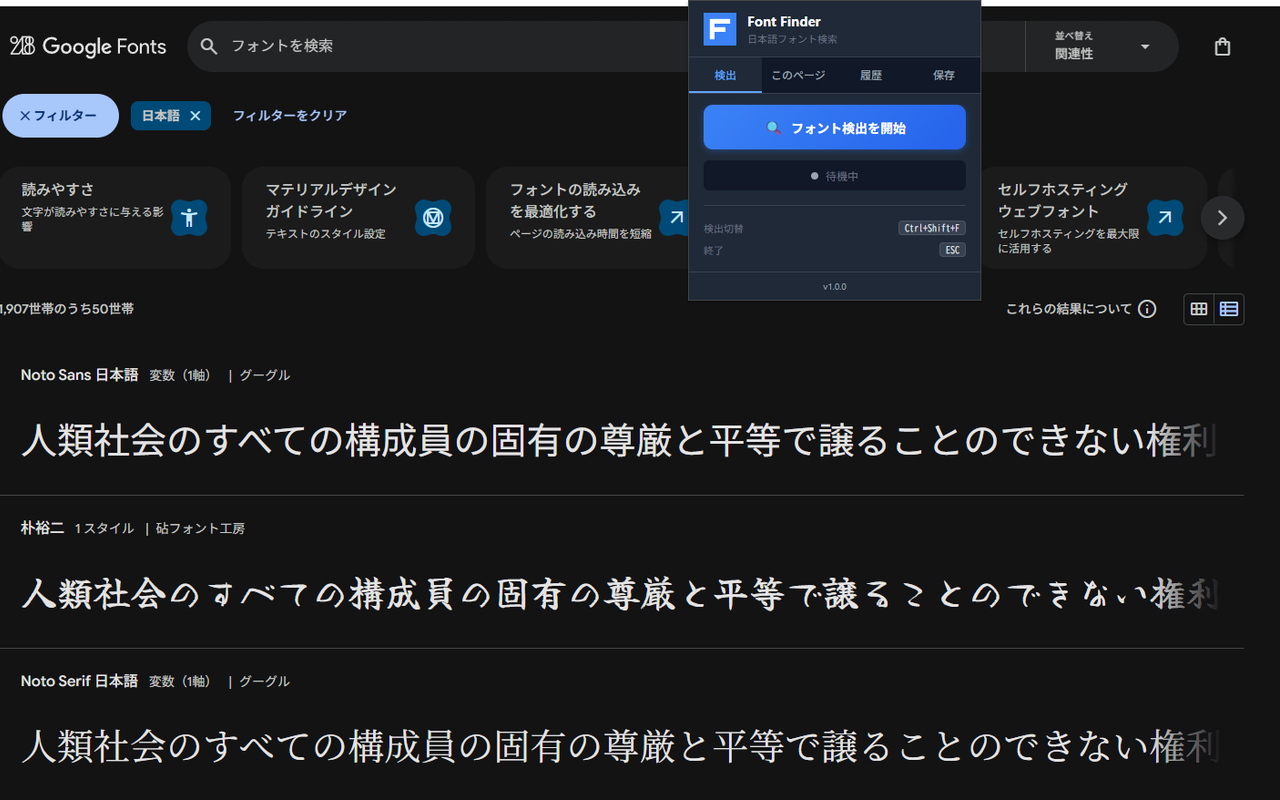
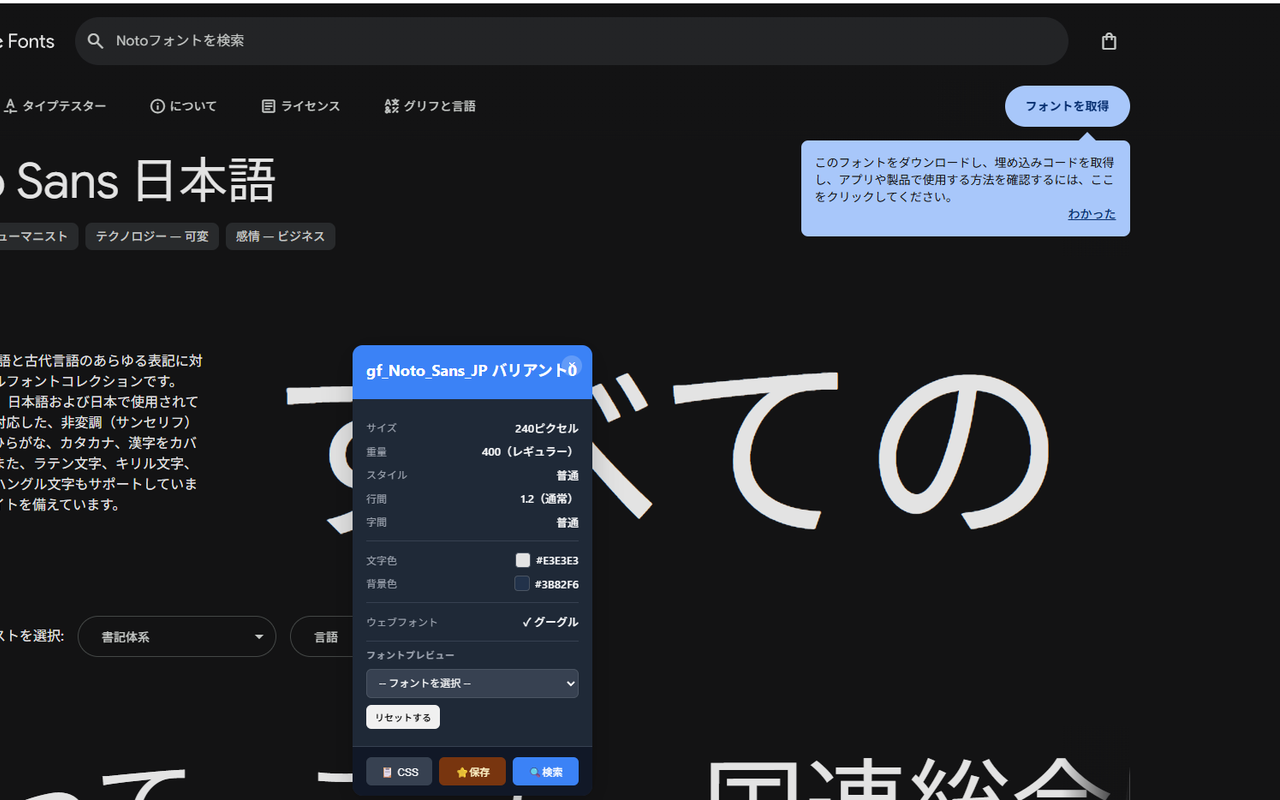
Webページ上のフォント情報を瞬時に検出するChrome拡張機能です。游ゴシック、ヒラギノ、モリサワなど日本語フォントを正確に識別し、フォントサイズ、ウェイト、行間、カラーコードなど必要な情報をワンクリックで取得できます。Manifest V3対応で軽量・高速動作。
What is Japanese Font Finder?
Japanese Font Finder is a free Chrome extension that identifies fonts on any webpage instantly, with specialized support for 150+ Japanese fonts including Yu Gothic, Hiragino Kaku Gothic ProN, Meiryo, Noto Sans JP, and Noto Serif JP. It detects the actual rendered font — not just the CSS declaration — and shows font-family, size, weight, line-height, letter-spacing, and text color in one click. All processing is 100% local, with no fonts or browsing data sent to any external server.
// how to use
- 1 Install Japanese Font Finder from the Chrome Web Store — it's free.
- 2 Navigate to any webpage with text you want to inspect.
- 3 Click the Japanese Font Finder icon in your Chrome toolbar to activate detection mode.
- 4 Hover over any text element to see the font name, size, weight, and color information instantly.
- 5 Click the element to copy the CSS font-family declaration to your clipboard.
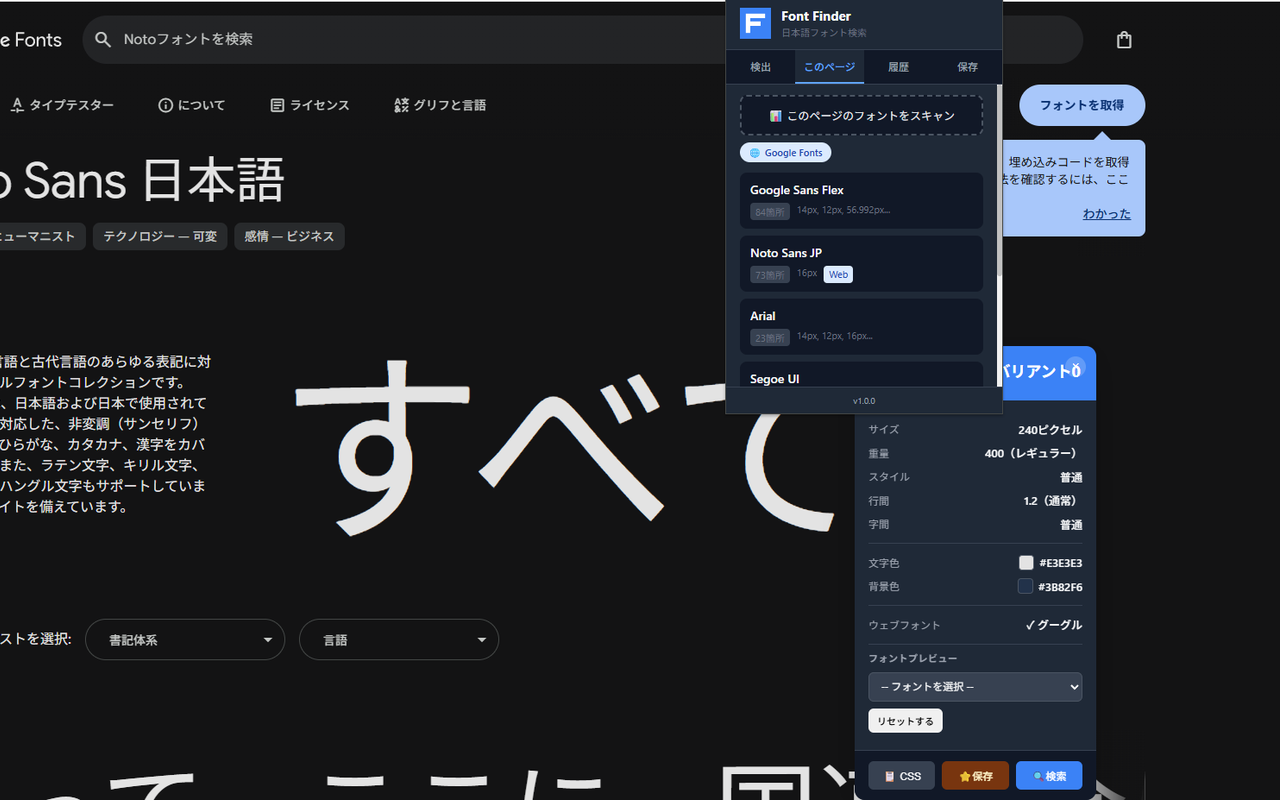
- 6 Use the popup panel to view your detection history or scan all fonts used on the current page.
// features
フォント名の検出
日本語フォント完全対応。ホバーで即座にフォント情報を表示
詳細情報の取得
フォントサイズ・ウェイト・行間・カラーコード(HEX/RGB)を表示
日本語フォント特化
游ゴシック/游明朝、ヒラギノ、メイリオ、Noto Sans JPに対応
Webフォントサービス検出
Google Fonts、Adobe Fonts、TypeSquare、FONTPLUSを自動検出
ブックマーク機能
気に入ったフォントをお気に入り保存。検出履歴も確認可能
ページ全体スキャン
ページで使用されているフォント一覧を表示
// recommended for
- Webデザイナー
- フロントエンドエンジニア
- グラフィックデザイナー
- タイポグラフィに興味のある方
// faq
Does it detect Japanese fonts accurately?
Yes. Japanese Font Finder supports 150+ Japanese fonts including Yu Gothic, Yu Mincho, Hiragino Kaku Gothic ProN, Meiryo, and Noto Sans JP. Unlike general-purpose tools, it resolves the actual rendered font rather than the CSS fallback list, so it correctly identifies which font the browser is using.
Why do other font tools show 'sans-serif' for Japanese fonts?
Most font detection tools read the CSS font-family declaration directly, which lists all fallbacks. Japanese font stacks often have 3-5 fallbacks (e.g. 'Hiragino Kaku Gothic ProN', 'Yu Gothic', 'Meiryo', sans-serif). Japanese Font Finder resolves the actual rendered font using document.fonts API, showing the font truly in use.
Does it work with web font services like Google Fonts?
Yes. It automatically detects fonts loaded from Google Fonts, Adobe Fonts, TypeSquare, and FONTPLUS.
Is my browsing data collected?
No. All font detection runs locally in your browser. No fonts or browsing data are sent to any external server.
Can I export the fonts I find?
Yes. You can export your font collection as JSON or CSV — useful for design documentation and font audits across multiple pages.